
Higgsfield alternatives: 7 picks, and the two real choices
Seven Higgsfield alternatives we tested. The same Seedance clip costs $1.76 through Higgsfield and about $0.40 direct — when to leave, and where to go.
Contents
The best Higgsfield alternatives, in short
Best overall output: Google Veo, which we rate 4.6 and which Higgsfield resells to you anyway. Best value: Seedance, where the same clip costs about a quarter of what the shelf charges. Best if you want another shelf: Runway, whose marketplace pairs a shorter catalogue with an editing suite Higgsfield has no answer to.
Most people searching for Higgsfield alternatives are leaving over the terms rather than the models. The Higgsfield review explains why: credits that expire every 30 days even on an annual plan, and discount badges measured against prices it does not charge. This post is about where they go.
How we picked these Higgsfield alternatives
None of the seven tools below is ours, and every one of them carries a full hands-on review on this site built from a real generation test. That is the bar for getting listed here, and it is worth stating up front because of what turns up when you go looking. I read eight other Higgsfield round-ups while researching this one, and counted how they open.
| Of eight competing round-ups | Count |
|---|---|
| Open the list with the publisher’s own product | 5 |
| Are landing pages for the tool that wrote them | 2 |
| Rank a third-party tool first | 1 |
We have no product in this category to promote, which is the whole reason that count is worth showing rather than asserting.
It also creates an asymmetry worth stating plainly, since nobody benefits from me hiding it: we generation-tested all seven alternatives below, and we never generated anything on Higgsfield. The account has held no credits since we started looking at it, and its review is explicit that the 4.0 rates what a buyer can check before paying rather than the picture it produces. So when a tool here scores above Higgsfield, read that as “we measured this one’s output and not the other’s”, never as a head-to-head verdict. The ratings in the table below are comparable to each other; Higgsfield’s is not comparable to them on output at all.
What we did measure on Higgsfield is what it charges, read off the live pricing page on 20 and 21 September. That is the axis this post can compare honestly, and as it turns out, it is the axis most people are actually leaving over.
What does a Higgsfield alternative actually mean?
Before the list, the decision underneath it. Higgsfield is not a model — it is a shelf that resells fifteen of them on one credit balance. So “an alternative” means one of two quite different things.
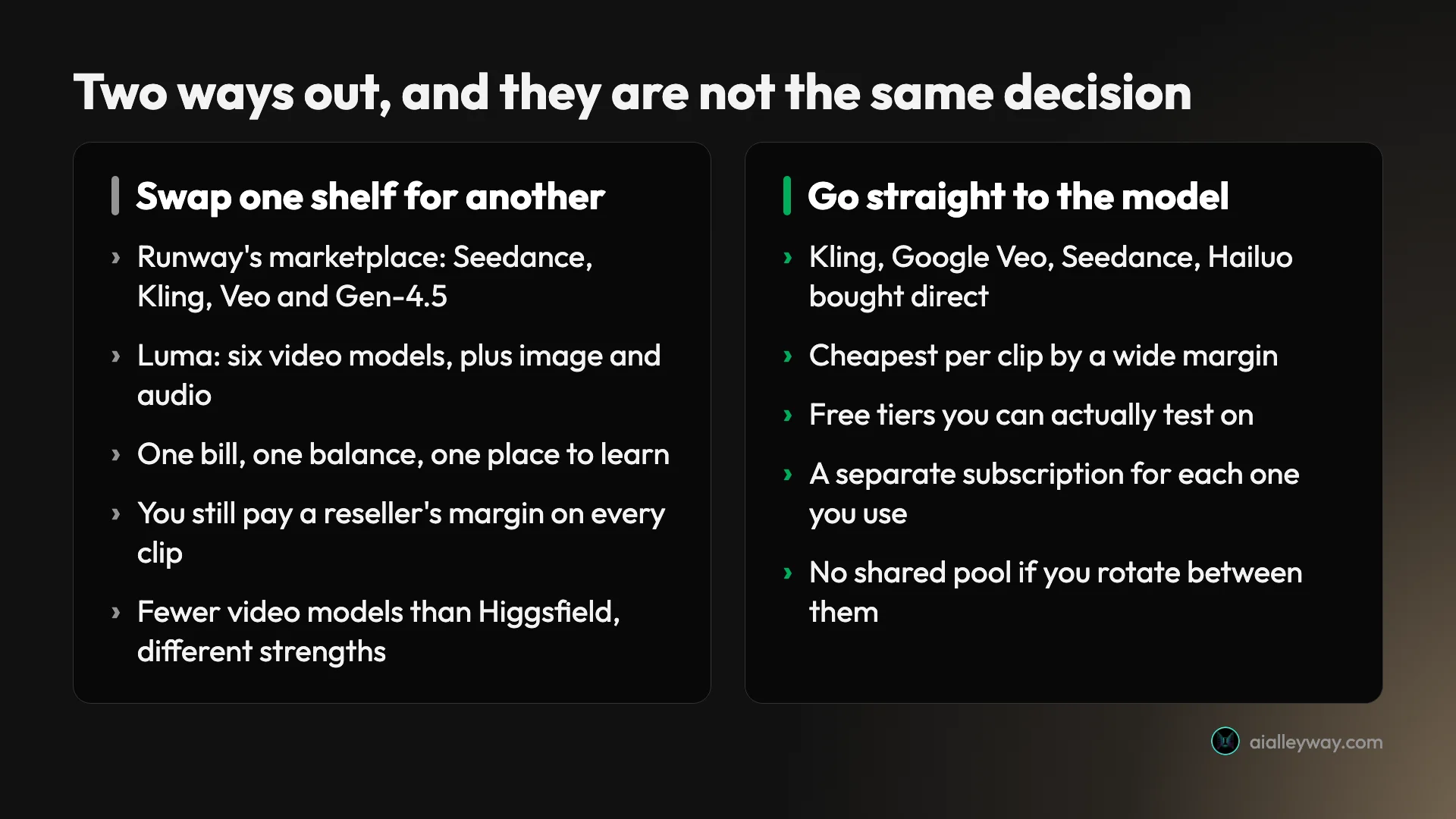
You can swap one shelf for another, which keeps the single bill and the one-place-to-learn convenience but keeps the reseller’s margin too. Or you can go to the company that built the model, which is markedly cheaper per clip and costs you the shared balance.
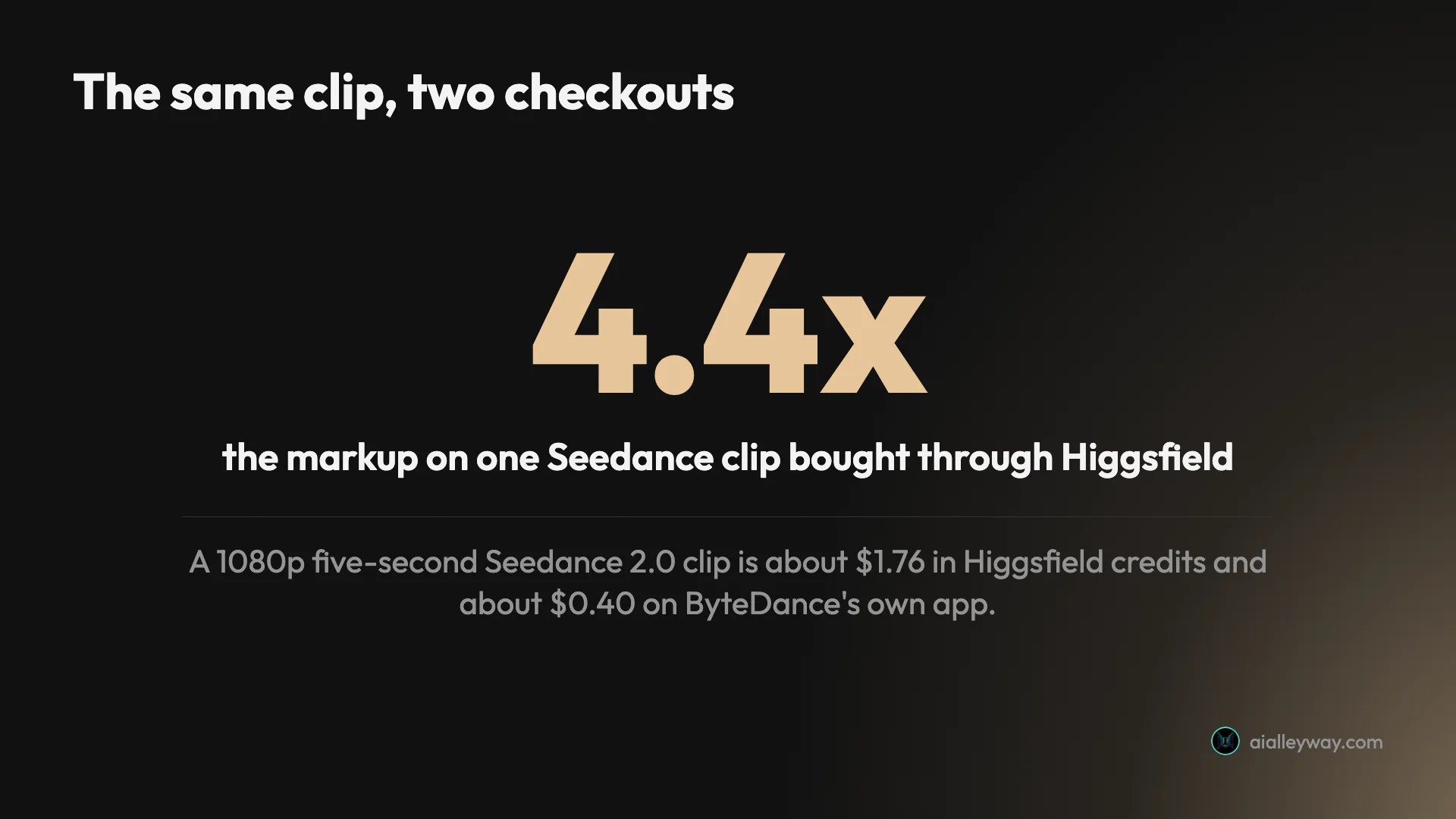
The size of that margin is the thing to weigh, and one clip prices it exactly. A 1080p five-second Seedance 2.0 clip costs 45 credits on Higgsfield, or about $1.76 at the Plus annual rate of $0.039 a credit. The same clip bought on ByteDance’s own Dreamina runs roughly $0.32 to $0.40 on a paid plan. Same model, same resolution, same length, at about 4.4 times the price through the shelf. Put another way, $39 is about 22 of those clips through a Plus plan’s 1,000 credits, or about 97 bought direct. The full credit working is in our Higgsfield pricing breakdown.
| Tool | Best for | Our rating | Entry price | Free tier | Multi-model |
|---|---|---|---|---|---|
| Google Veo | Best output overall | 4.6 | $4.99/mo | Yes, via a Google account | No |
| Kling AI | The model most Higgsfield users want | 4.2 | $6.99/mo | Yes, daily credits | No |
| Seedance | Lowest cost per clip | 4.2 | Pay per clip | No | No |
| Runway | Editing, plus a second shelf | 4.2 | $12/mo | 125 one-time credits | Yes, plus an editor |
| Hailuo | The most generous free start | 4.1 | $7.99/mo | One-time ~80 videos | Some, bundled |
| Luma | The closest structural match | 4.0 | $30/mo | Trial pool only | Yes, plus audio |
| Pika | Effects and one-tap edits | 3.8 | $8/mo | Yes, 480p watermarked | No |
| Higgsfield, for reference | Not ranked — price context only | 4.0, terms only | $15 Starter, $39 Plus | One-time trial | Yes, fifteen |
Kling, Runway, Hailuo and Pika are shown at annual or promotional rates and cost more month to month. Veo, Luma and Higgsfield Starter are plain monthly prices. Higgsfield’s row is italicised for a reason — its 4.0 rates purchase terms, not output, so it is here for price context rather than as an eighth ranked pick.
One footnote on that breadth figure, because it is the whole case for staying. Higgsfield’s fifteen includes Sora 2, and OpenAI discontinued Sora’s app in April, with its own notice putting the API sunset at 24 September 2026, which we covered in our Sora alternatives roundup. Three days after this was written, the shelf is likely to be fourteen. That does not change the ranking here, but it is worth knowing if breadth is the reason you were planning to stay put.
1. Google Veo — best output overall

Veo is the highest-rated video model on this site at 4.6, and the joke of this whole comparison is that Higgsfield sells it to you at roughly 29 credits per four seconds at 720p, about $1.13 at the Plus rate. Buying it from Google costs less and gets you the full surface.
What earns the 4.6 is native audio generated in the same pass as the picture, which removes an entire post-production step, plus prompt adherence that our test found more reliable than anything else in the category. Flow, its studio interface, is a real workspace rather than a prompt box.
The catch is the credit maths, which our full Google Veo review goes into: a Quality clip costs 100 Google credits, so the Pro plan’s monthly allowance is about ten of them.
| Route to Veo | What it costs | Note |
|---|---|---|
| Any Google account | Free | Limited, but genuinely usable |
| Google AI Plus | $4.99/mo | Entry paid access |
| Google AI Pro | $19.99/mo | Roughly 10 Quality clips a month |
| Through Higgsfield | ~29 credits per 4s at 720p | About $1.13 at the Plus rate |
Those are not like-for-like units — Google meters its own credits against tiers it names Quality, and Higgsfield meters by resolution and duration — so read the table as four routes rather than four prices for one thing. What it does show is that the cheapest way into Veo is Google’s own free tier, which no aggregator can beat.
Cinematic realism holds up even on the cheapest tier, which is unusual: most models here degrade sharply below their flagship setting.
Two limits shape how you use it. Clips are eight seconds natively, so anything longer means stitching, and our review found it buckles under load during peak hours with slower or retried renders. The model lineup is also confusingly named: you open Flow to make a “Veo” video and the default model is called Gemini Omni Flash, with three separate Veo 3.1 tiers beside it.
Pick Veo if output quality is the thing you are optimising and you can live with an eight-second native ceiling.
2. Kling AI — best direct route to the model you already wanted
Kling 3.0 is Kuaishou’s model and the one most people are reaching for when they open Higgsfield, and it sits in the picker at about 7 credits per five seconds at 720p. Bought directly it starts at $6.99 a month on the Standard plan, with a free tier that drips daily credits.
We rate it 4.2 on output: native 4K, genuinely fluid motion, strong physics, and audio generated in one pass. On the raw picture it is the closest thing to Veo in this list, and on cost per clip at its own prices it beats Veo outright.
| Measure | At a glance |
|---|---|
| Our rating | 4.2 Power Tool |
| Entry price | $6.99/mo Standard |
| Free tier | Yes, daily credits, watermarked |
| Watch out for | A 1.3-star Trustpilot record on billing |
| What it fixes about Higgsfield | No reseller margin on the model most people open it for |
Access is also frictionless for a Chinese product — English interface, email signup, no regional workarounds — which matters because plenty of top models are reachable only through aggregators or region locks. That ease is part of why it turns up on every alternatives list including this one.
It also carries the sharpest warning of any tool here, and it is not about quality. Our full Kling review records a 1.3-star Trustpilot rating across 325 reviews, clustered on charges after cancellation and credits expiring before use. If you subscribe, cancel deliberately and screenshot the confirmation.
There is a second catch that Higgsfield’s shelf actually shields you from: Kling’s own free output is watermarked and non-commercial, and its queues slow noticeably at peak. Its credits also carry an expiry date, so the thing people leave Higgsfield over is not unique to Higgsfield.
Pick Kling if you have settled on Kling. Going direct removes the reseller margin and gets you its full feature surface.
3. Seedance — best value per clip

Seedance is where the money argument lands hardest. ByteDance’s model leads public video benchmarks, we rate it 4.2, and it is the cheapest quality generation in this list by a distance.
The numbers are the section. About $0.62 buys a 1080p five-second clip of Seedance 1.0 Pro through fal.ai, pay-as-you-go with a commercial licence and no watermark. Seedance 2.0 on ByteDance’s own Dreamina runs roughly $0.32 to $0.40 a clip on a paid plan. The same 2.0 clip through Higgsfield’s credits is about $1.76.
| Measure | At a glance |
|---|---|
| Our rating | 4.2 Power Tool |
| Entry price | Pay per clip, from ~$0.32 |
| Free tier | No usable free tier |
| Watch out for | No audio on 1.0 Pro, and access split across three platforms |
| What it fixes about Higgsfield | About a quarter the per-clip price for the same 1080p Seedance 2.0 |
The commercial licence on the fal.ai route matters more than it sounds. Several tools here ship free or entry-tier output you are not licensed to publish, and Seedance bought that way is clean from the first clip. The model family is flexible too, spanning Fast and Mini variants when you want to iterate cheaply and 4K when a shot is final.
Its weakness is the one Higgsfield exists to solve. As our full Seedance review puts it, the model lives across Dreamina, fal.ai and Replicate with different prices and versions at each, and the official app gates video behind an upgrade. You are choosing your own access route.
Two more things to price in. Seedance 1.0 Pro generates no audio, so anything with sound needs a separate pass on that model — 1.5 Pro added synced sound — and its pricing varies by region in ways our review describes as a muddle. The version sprawl is real too: 1.0, 1.5 Pro, 2.0, 2.0 Fast and 2.0 Mini all exist at different prices.
Pick Seedance if cost per finished clip is the metric and you do not mind a developer platform.
4. Runway — best if you want a shelf with an editor attached

Runway is the alternative that competes with Higgsfield on its own terms. Its marketplace runs its own Gen-4.5, Gen-4 Turbo and Aleph alongside Seedance, Kling, xAI Grok and Google Veo from one account and one balance, which is the same play across a shorter catalogue.
What Higgsfield has no answer to is everything after generation. Aleph does prompt-based revision of existing footage, and the camera and character controls make it the one tool here that suits client work where shots get notes rather than re-rolls. We rate it 4.2.
Our full Runway review is blunt about the trade: raw output quality trails Veo and Kling, and the free tier is the most locked in the category at 125 one-time credits, image-to-video only, watermarked. Paid plans start at $12 a month.
| Measure | At a glance |
|---|---|
| Our rating | 4.2 Power Tool |
| Entry price | $12/mo Standard |
| Free tier | 125 one-time credits, watermarked |
| Watch out for | Credits expire here too, and raw quality trails the leaders |
| What it fixes about Higgsfield | A plain subscription instead of a credit ladder, plus an editor |
The production stack around the generator is the reason to pay anyway. Camera and character controls, a timeline, and a marketplace that tends to absorb new frontier models as they land mean you are buying access to a moving field rather than one company’s roadmap — the same argument Higgsfield makes, at a quarter of the catalogue but with somewhere to finish the work.
It shares one flaw with the tool you are leaving. Runway’s credits expire too, and its review records billing complaints of the same shape as Higgsfield’s. What it does better is predictability: the pricing is a plain subscription rather than a credit ladder with strike-through badges.
Pick Runway if your bottleneck is revising footage rather than generating more of it.
5. Hailuo — best free allowance to test on

Hailuo is MiniMax’s model, and it is the one to reach for when you want to evaluate without paying anything, which is precisely what Higgsfield’s free tier will not let you do. It opens with roughly 80 free videos. Like Luma’s and Higgsfield’s, that pool is one-time rather than refilling — it is simply far bigger, which is enough to judge a model on.
We rate it 4.1 for motion that holds together better than the price suggests. Paid plans start at $7.99 a month on annual billing, which is a discounted rate against a $14.99 regular price, and Standard buys 1,000 credits.
| Measure | At a glance |
|---|---|
| Our rating | 4.1 Power Tool |
| Entry price | $7.99/mo |
| Free tier | One-time trial of roughly 80 videos, no refill |
| Watch out for | Silent clips, watermarked free output, $14.99 monthly |
| What it fixes about Higgsfield | A free allowance large enough to actually evaluate on |
The output is genuinely good rather than merely cheap, which is the distinction that earns it a place above Pika here.
It is narrower than the tools above, and the trade is silence. Clips carry no audio at all, there is no editing layer, and free output is watermarked with removal available only on paid plans. Our full Hailuo review covers where the seams show.
What you do get cheaply is control. Keyframes are included rather than gated behind a higher tier, which is unusual at this price, and realistic human motion is its genuine specialty. The Standard plan also opens access to Veo 3.1 alongside MiniMax’s own models, and to Sora 2 for the three days it has left. That is a bundled extra rather than the shelf model Higgsfield or Luma are built on.
Pick Hailuo if you want to spend a week deciding whether AI video suits your work at all before any card comes out.
6. Luma — the closest structural match
If what you liked about Higgsfield was the shelf rather than any one model, Luma is the nearest thing to a like-for-like swap. What used to be Dream Machine is now an agentic multi-model platform, and its catalogue is the widest of any alternative here: its own Ray 3.14 and 3.2, Google Veo 3 and 3.1, Kling 2.6 and Omni, plus Seedream, Nano Banana Pro, GPT Image and ElevenLabs audio.
That makes it the same idea across a deeper catalogue than Runway’s and a shallower one than Higgsfield’s, with the same single-balance convenience and the same reseller economics underneath. We rate it 4.0, and our full Luma review covers where its own Ray model sits against the ones it resells. Higgsfield also scores 4.0, but the two numbers are not measuring the same thing — Luma’s comes from a generation test and Higgsfield’s from its purchase terms, so read it as a coincidence rather than a tie.
It is the most expensive entry on this list at $30 a month for the Plus plan, and what looks like a free tier is a one-time pool of trial credits — 3,000 in our account — that never refills. That is the same shape as the Higgsfield trial people complain about, so do not switch expecting a free ride. It is also built for teams rather than solo prompting, and it stays current without you chasing model releases.
Our review names the same catch this whole post is about, in Luma’s own words: you pay a margin for the aggregation. It also warns that the pivot to an agentic workspace buries the simple generator some people came for — if you want a prompt box, you now have to find it.
| Measure | At a glance |
|---|---|
| Our rating | 4.0 Power Tool |
| Entry price | $30/mo Plus |
| Free tier | One-time 3,000-credit trial, not refilling |
| Watch out for | You still pay an aggregator margin |
| What it fixes about Higgsfield | A deeper catalogue than Runway, with an agent on top |
What the agent buys you is speed at the drafting stage. It generates fast, takes feedback in conversation, and the output quality behind it is genuinely competitive rather than a thin wrapper on someone else’s model.
Pick Luma if you want the aggregator experience from a tidier catalogue and the entry price does not put you off.
7. Pika — best for effects rather than shots

Pika is the outlier here, and it is on the list because a chunk of what people use Higgsfield’s preset layer for is effects rather than filmmaking. Pika owns that job: one-tap effects, quick transformations, playful output aimed at social rather than cinema.
We rate it 3.8, the lowest here, and the rating is honest about scope rather than dismissive. It costs $8 a month, and its free tier is 480p with a watermark, so the free plan is a demo rather than a workflow. Our full Pika review has the detail.
| Measure | At a glance |
|---|---|
| Our rating | 3.8 Solid Choice |
| Entry price | $8/mo |
| Free tier | Yes, 480p, watermarked, non-commercial |
| Watch out for | Commercial rights start at Pro, not Standard |
| What it fixes about Higgsfield | Credits roll over instead of expiring every 30 days |
Two things lift it above its rating for this particular audience. It is the easiest on-ramp in the category, which matters if Higgsfield’s eighteen feature surfaces were the problem rather than the price. And Pika 2.5 was a real quality jump rather than a version bump, so the output is better than the 3.8 alone suggests.
Pika does one thing none of the others here manage, and it is the single most relevant fact in this post: its credits roll over, and you can top up. For anyone leaving Higgsfield over a 30-day expiry that runs even on annual plans, that is the direct answer, on the cheapest paid plan in this list.
One trap to avoid. Commercial rights start at Pro, not Standard, which our review calls an easy and expensive mistake — check the tier before you publish client work.
Pick Pika if you want a specific effect on an existing clip, not a cinematic shot from a prompt.
Which Higgsfield alternative should you pick?
- You only ever use one model: go direct to it. Kling at $6.99 or Veo at $4.99 costs less than Higgsfield’s cheapest plan and removes the margin entirely.
- Cost per finished clip is the metric: Seedance, bought through Dreamina or a developer platform. Roughly a quarter of the shelf price for the same 1080p clip.
- You want the best picture and nothing else matters: Google Veo, at 4.6 the highest-rated model on this site.
- You genuinely rotate between models: stay on a shelf, and choose between Higgsfield, Luma and Runway. Higgsfield leads on count, fifteen video models and nine image ones; Luma is the only one that adds a real audio and voice layer; Runway is the only one with an editing suite.
- Your work is revising footage, not generating it: Runway. Nothing else here has an equivalent to Aleph.
- You have not decided whether any of this suits you: Hailuo’s 80 free videos, then come back to this list.
- You left over credits expiring: Pika is the only tool here whose credits roll over, at $8 a month.
- You have a capable GPU and patience: run Wan 2.2 yourself — Apache 2.0, weights on Hugging Face. Higgsfield sells the newer Wan 3.0, whose licence we have not established.
- You want the wider field, not just Higgsfield’s replacements: our best AI video generator pillar ranks the category outright.
The final word
The reason to leave Higgsfield is almost never the models, because it is selling you the same Kling, Veo and Seedance everyone else has. It is the terms around them: a 30-day credit fuse that runs even on annual plans, and per-clip pricing that can land at several times what the model’s own maker charges.
If you rotate constantly, breadth is worth paying for and Higgsfield still has the widest shelf in the category. If you do not, the honest recommendation is the boring one: buy the model you actually use, from the people who made it, and start with our Google Veo review for the best output or Seedance for the best price.
Frequently asked questions
Is there anything better than Higgsfield?
On raw output, yes: Google Veo is the model we rate highest in this category at 4.6, and Kling, Seedance and Runway all sit at 4.2 against Higgsfield's 4.0. But that comparison is not fair in either direction. Our 4.0 for Higgsfield rates what a buyer can check before paying rather than output we generated, and Higgsfield is not a model anyway. It is a shelf that resells fifteen of them, including Kling and Veo themselves.
So the honest answer depends on what you are buying. If you want the best clip you can get from one tool, go to Veo or Kling directly and you will pay less per clip for it. If what you actually value is switching between models without holding four subscriptions, Higgsfield carries the most models of the three shelves, fifteen for video and nine for images. Luma's edge is not count but range: it is the only one that adds music, sound effects and voice.
What are some free AI tools similar to Higgsfield?
Three of the alternatives here have free tiers you can genuinely test on, which Higgsfield does not: its free allotment is a one-time trial that never refills. Hailuo is the most generous, opening with roughly 80 free videos, though it is a one-time pool rather than a monthly refill. Google Veo gives free access through any Google account, and Pika's free credits actually refill each month. Kling drips daily credits too, but our review calls that tier a demo rather than a workflow.
Be realistic about what free buys you. Kling's and Pika's free output is watermarked, Pika's caps at 480p, and Runway's free tier is 125 one-time credits for image-to-video only. Free tiers are for deciding whether a model suits your work, not for producing it. The one genuinely free-forever route is running an open-weights model yourself, which the open-source answer below covers.
Is there a cheaper alternative to Higgsfield that uses the same models?
Yes, and it is usually the same model bought from the company that made it. A 1080p five-second Seedance 2.0 clip costs about $1.76 in Higgsfield credits at the Plus annual rate. The same clip on ByteDance's own Dreamina runs roughly $0.32 to $0.40, which is a markup of about 4.4 times for the convenience of the shelf.
The pattern repeats across the catalogue. Kling 3.0, Google Veo 3.1, Seedance and Wan are all Higgsfield resells rather than builds, and all four can be bought or run directly. You give up the single credit balance and the preset layer, and you take on a subscription per model. If you only ever reach for one of them, that trade is clearly worth making.
Is there an open-source Higgsfield alternative?
There is no open-source clone of Higgsfield's interface, but there is something more useful: several of the models it sells you are open-weights and free to run. Wan is the clearest case. Alibaba released Wan 2.2 under Apache 2.0 with weights published on Hugging Face at huggingface.co/Wan-AI, and Higgsfield charges roughly 8.75 credits for five seconds of Wan 3.0 at 720p, about 34 cents at its Plus rate.
The catch is hardware, not licensing. The 5-billion-parameter Wan 2.2 runs on 6 to 8GB of VRAM, but the 14B version wants 24GB or more for usable 480p and 720p output. So this is a real alternative if you own a capable GPU or are willing to rent one, and a poor one if you were hoping to avoid setup entirely. For most people the cheap managed route beats the free self-hosted one.
Keep reading
Higgsfield AI review: the 30% off that is never 30% off
A Higgsfield AI review: 15 video models on one credit balance, rated 4.0 — the breadth is real, the discount badges are not. Who it suits, and who should skip.
Higgsfield pricing: what a credit actually costs you
Higgsfield pricing read off the live page: $15 to $270 a month solo, $65 a seat for teams, and the plan that looks cheapest is the worst value per credit.

The Best AI Video Generator for Every Kind of Video
The best AI video generator depends on the job. We tested 10 hands-on: Google Veo for generation, Synthesia for avatars, Fliki for script-to-video, and more.
Kling AI Review: The Best AI Video, and a Billing Problem
Kling AI makes some of the best AI video anywhere, but one free clip cost 60 of my 66 credits. My hands-on take on quality, credits, and trust issues.