
Descript review: the editing is magic, the pricing isn't
I ran my own projects through Descript. The transcript editing is genuinely magic — the new AI-credit pricing isn't. Here's who should actually pay.
Contents
Is Descript worth it?

Mostly yes, with one big caveat. Descript is the closest thing to magic I have used in a video editor: you cut the video by deleting words in a transcript, and the footage disappears with them. I score it 4.0 out of 5. The transcript editing is brilliant and Studio Sound makes a cheap microphone sound paid-for, but the AI-credit pricing it rebuilt around in 2025 is the thing you have to watch.
The catch shows up in the reviews: Trustpilot sits at 3.1 out of 5, and the recurring complaint is credits draining faster than people expect. Buy it if you make podcasts or talking-head video and want to stop scrubbing a timeline. Skip it if you are a precision video editor, or a heavy AI user on a tight budget who will burn the credits in a week.
What it does
Descript records, transcribes, and edits audio and video in one place, and its whole personality comes from a single idea: the transcript is the timeline. Delete a sentence in the text and the matching audio and video are gone. Move a paragraph and the clips reorder themselves. Type a word back in and Descript can speak it in your cloned voice. For anyone who has spent an evening nudging clips around a Premiere timeline, the first edit lands as a small shock.
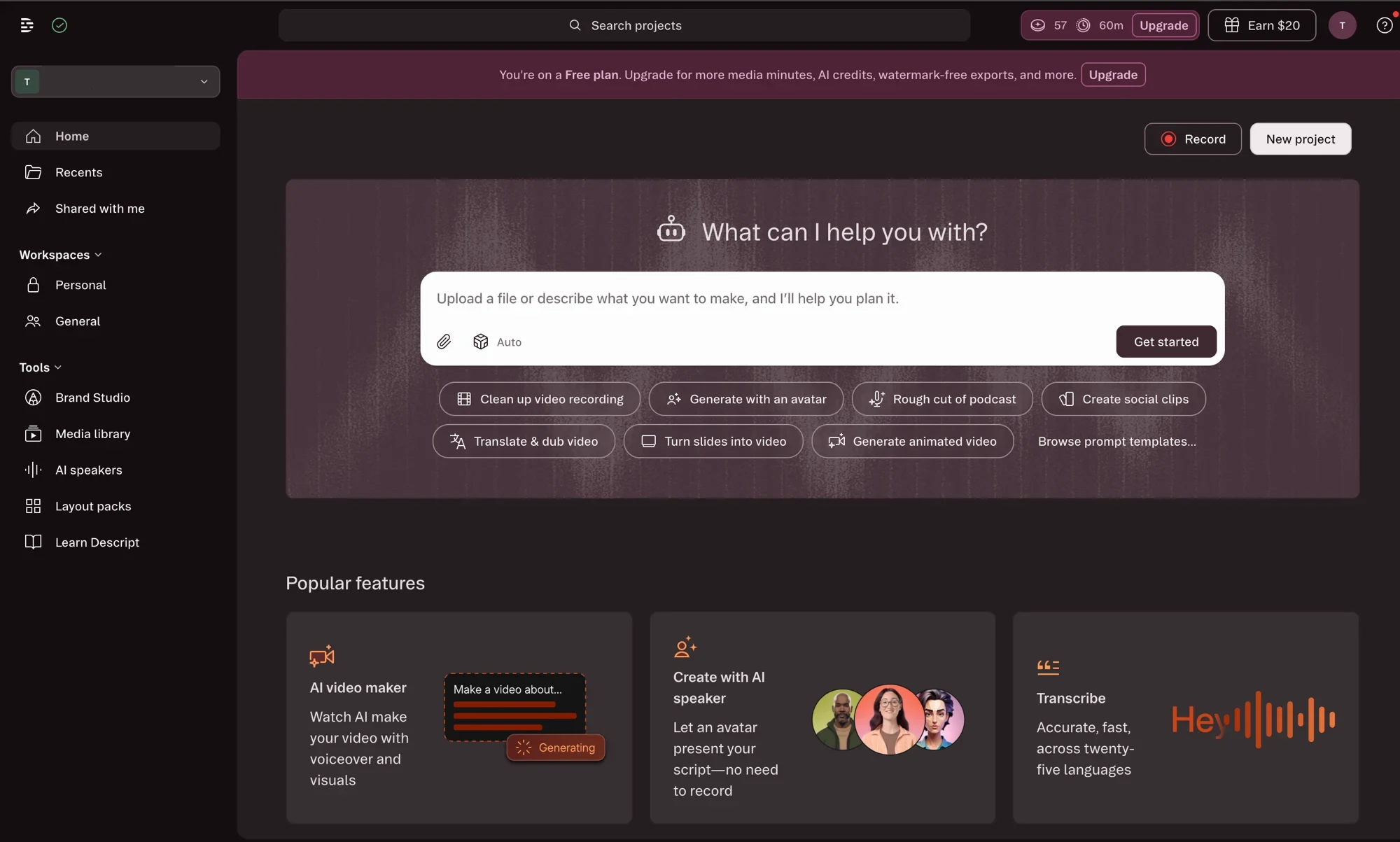
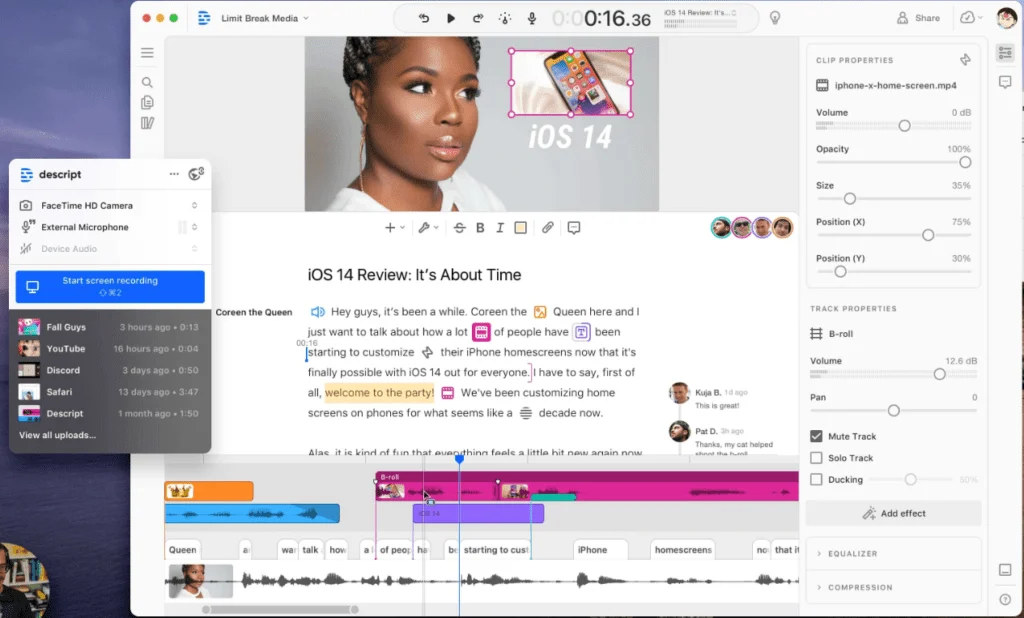
That one trick would be enough to sell the thing. Descript piles on a whole production suite anyway: record your screen or camera, generate captions, cut a long recording into short social clips, translate and dub a video into another language, even turn a slide deck into a narrated video. The home screen greets you with a wall of jobs instead of a blank canvas, which is exactly how the tool gets used.
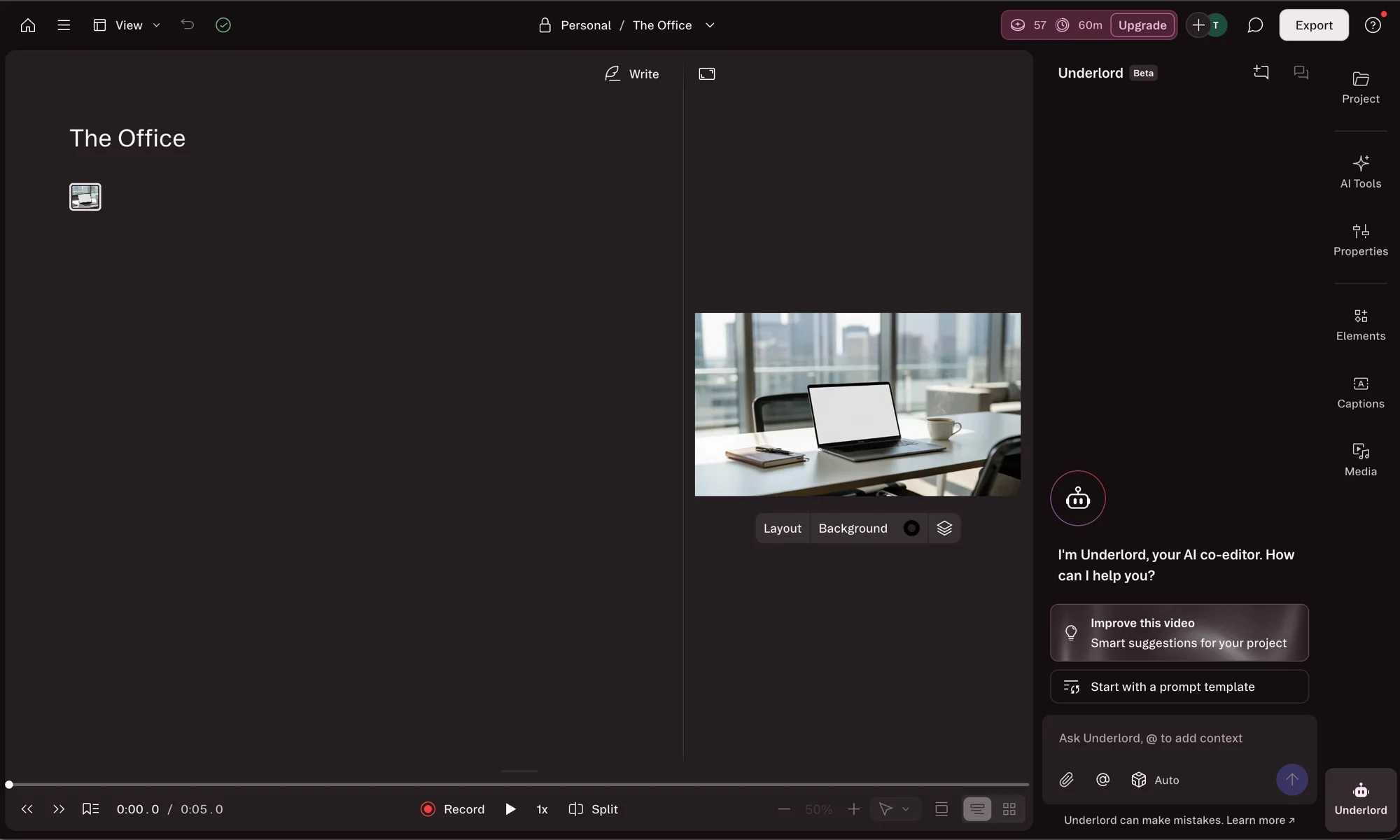
Sitting over all of it is Underlord, Descript’s AI co-editor. It is a chat sidebar you can ask to make a rough cut, remove filler words, write show notes, or generate clips, and it carries out the edit for you. It is still in beta, and it is also the single biggest consumer of AI credits, which becomes important the moment you start leaning on it.
Around those headline features sit the smaller AI tools creators actually reach for. Eye Contact nudges your gaze toward the camera when you read off-screen, AI Green Screen drops your background without a physical screen, and AI Speakers and avatars can present a script with no recording at all. One-click filler-word and silence removal pulls the “ums” and dead air out of the real audio, not just the text.
It also bundles remote recording through SquadCast, so you can capture a remote guest in studio quality and land the files straight into the same project. None of these is necessarily best in class on its own. The pitch is that you rarely have to leave Descript to find them, and for a solo creator that consolidation is the whole appeal.
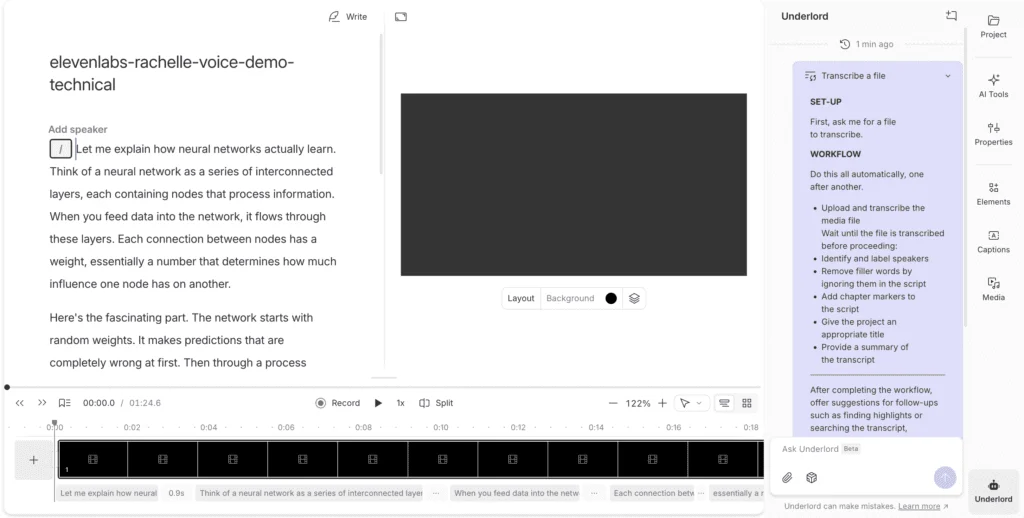
Transcription is the engine under the hood. Descript’s own interface advertises transcription “across twenty-five languages,” and accuracy on clean, single-speaker audio is good enough that I rarely fix more than a handful of words per minute. That accuracy is what makes the text-based editing trustworthy in the first place, because you are editing what the transcript says happened.
Captions, subtitles, and short social clips all fall out of that same transcript with no separate step, and when you are finished Descript publishes straight to YouTube or to a podcast host rather than dumping a file on your desktop. The learning curve is the catch: the editor looks like a word processor but behaves like a timeline, and it takes a few projects before the two models click. Once they do, the speed is hard to give up.
Pricing
Here is where Descript gets complicated, and where most buyers get caught out. In a 2025 overhaul it tore up its old plans and rebuilt them on two separate meters you have to track at the same time. There are four tiers plus Enterprise. Prices below are monthly, re-checked 17 September 2026, and every paid price is per person per month. Annual billing does not take a flat cut: it saves 33% on Hobbyist, 31% on Creator and 23% on Business, so the discount shrinks as you climb, which the Descript pricing guide works through tier by tier.
| Plan | Price (monthly) | AI credits / mo | Media minutes / mo | Seats |
|---|---|---|---|---|
| Free | $0 | 100 (one-time) | 60 (1 hr) | 1 |
| Hobbyist | $24 | 400 | 600 (10 hrs) | 1 |
| Creator | $35 | 800 | 1,800 (30 hrs) | 1 |
| Business | $65 | 1,500 | 2,400 (40 hrs) | per seat |
| Enterprise | Custom | Custom | Custom | Custom |
The two meters are the part people miss. Media Minutes count how much audio and video you upload or record in a month, transcribed or not. AI Credits are spent separately, every time you use an AI feature: Studio Sound, filler-word removal, Eye Contact, voice generation, and every Underlord action. Neither meter rolls over, so an unused balance resets at your billing date.
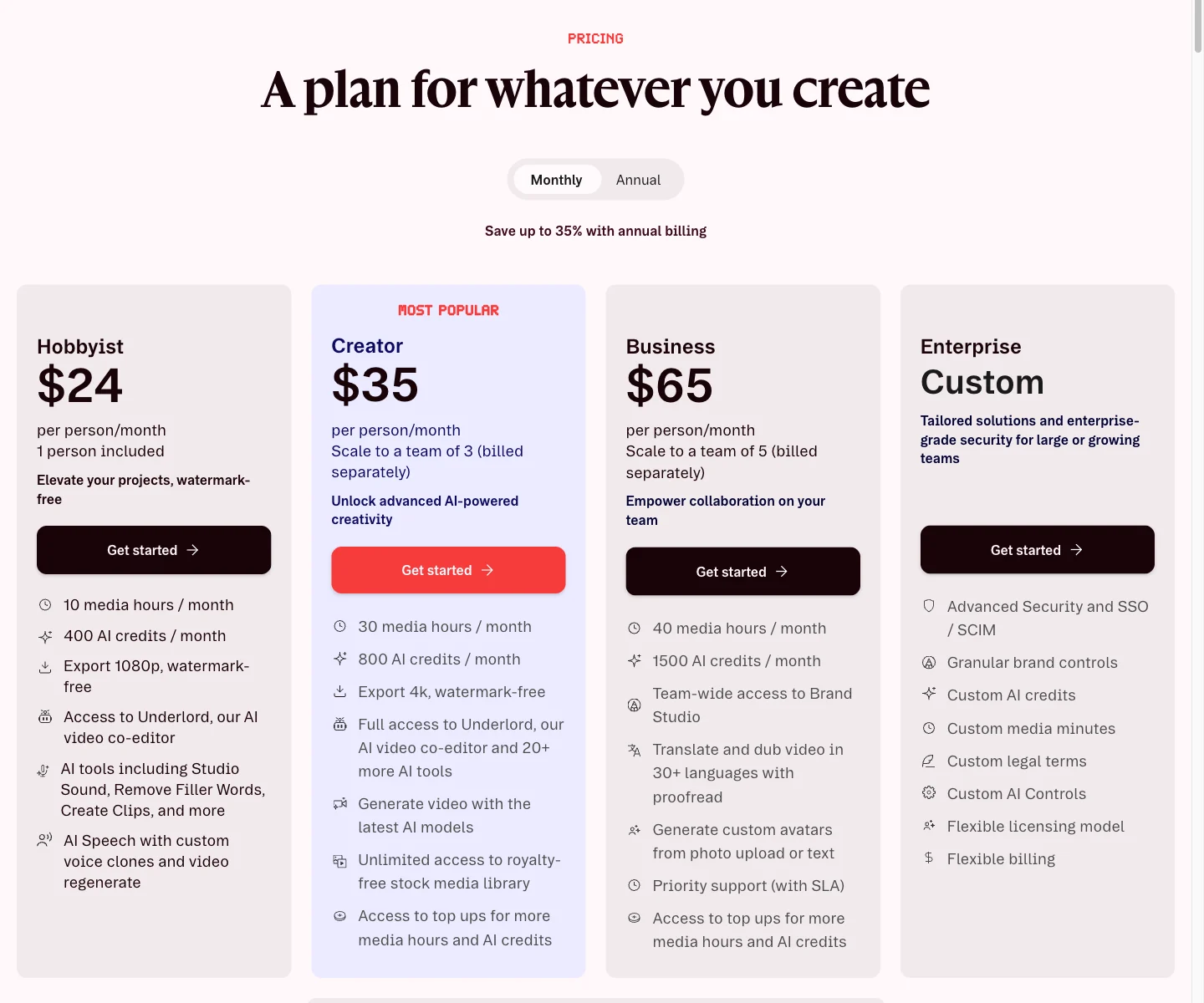
When I opened the Creator checkout to see what $35 actually buys, the breakdown was plain: 800 AI credits and 30 media hours a month for one seat, or the same plan at $24/mo on annual billing with the note “Save 30% + free top ups.” That annual line matters, because top-ups (buying extra credits or minutes when you run dry) are only offered on Creator and Business in the first place. On Free and Hobbyist there is no top-up path, so you wait for the reset.
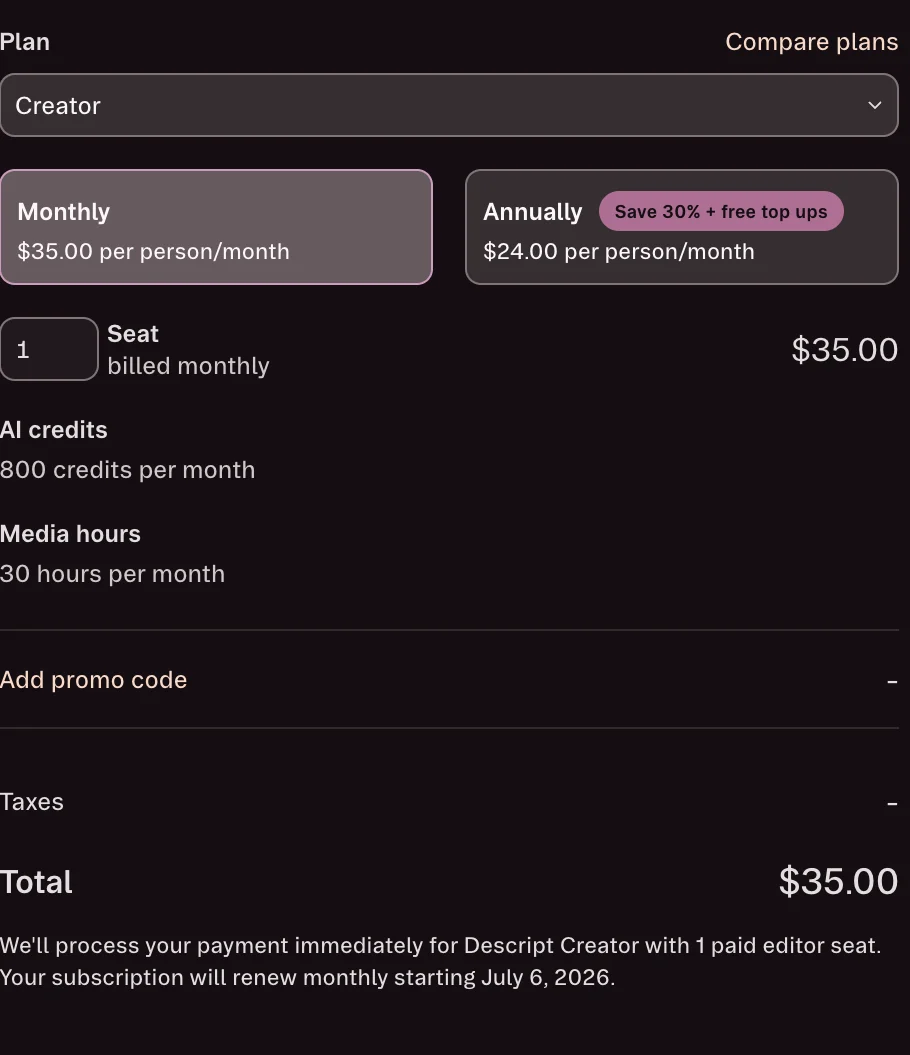
One non-obvious cost: because media minutes are spent on upload, importing footage you never finish editing still counts against you. Descript says so directly inside the product. So the realistic plan for you is less about the headline numbers and more about how much raw media you push through Descript and how often you reach for AI.
That 2025 overhaul is why the model looks the way it does. Descript scrapped its old transcription-hours plans and replaced them with these two meters, moving features that used to be unlimited (Studio Sound, voice generation, and the rest) onto the AI-credit system. Existing subscribers were auto-migrated to the nearest new plan on their next billing date. If you read an older review praising “unlimited” transcription, that world is gone, so check the date on anything you compare this against.
Picking a tier comes down to two questions: how much raw media you process, and how much you lean on AI. A weekly 45-minute podcast recorded once is roughly 45 media minutes, so it sits comfortably inside Hobbyist’s 600 with room for re-records. Add a remote co-host and video and you are into Creator’s 1,800 territory quickly. On credits, a few Studio Sound passes a week barely dents Hobbyist’s 400, but daily Underlord editing will chew through Creator’s 800. Match the plan to your heaviest week, not your average one.
Who it’s for
- Podcasters are the core audience. Cutting a rambling 60-minute interview down to a tight 30 by deleting text, then running Studio Sound and one-click filler removal, is genuinely faster than any waveform editor I have used.
- YouTubers and talking-head creators who script their videos. The transcript-first flow fits a “read, then trim the mistakes” workflow, and the auto social-clip feature gives you shorts from the same recording.
- Course and content teams who want recording, editing, captions, and dubbing in one subscription instead of three. Be aware of two team gates: Business is billed per seat rather than as a single flat plan, and Brand Studio (shared fonts, colors, and templates that keep a team’s output consistent) is locked to Business and Enterprise. A two-person team that wants shared branding is looking at Business, not Creator.
- Solo creators testing the water. The free plan is real enough to learn the whole editor before paying, which is how I have been using it.
- Not for: precision video editors. If you need frame-level control, granular export settings, keyframed effects, or color and motion work, Descript will feel limiting next to Premiere or Final Cut, and several long-project users say it slows down under heavy timelines. Descript is built to make editing fast, not to make it precise.
The good
Descript gets a lot right, and two or three things spectacularly so. Here are the seven that should sway your decision, strongest first.
Text-based editing is the real thing
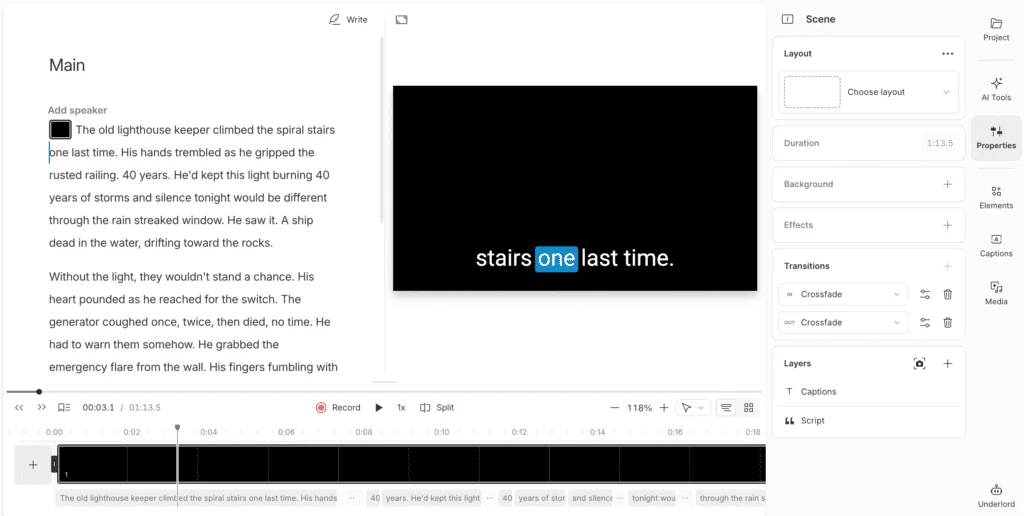
This is the feature, and it lives up to the demos. You read the transcript, select the bad take or the tangent, delete it, and the audio and video go with it. Removing an “um” is the same gesture as fixing a typo. For dialogue-driven content, this collapses the slowest part of editing into something you can do while you read, and it is why I keep coming back to the tool.
Studio Sound rescues a cheap microphone
Studio Sound is the AI feature I trust most. It strips room noise and lifts a thin vocal toward something that sounds like a treated booth, and it does it in one pass on the whole file. Descript’s help docs put it at 10 AI credits per use, so it is cheap enough to apply to everything. For anyone recording at a kitchen table, this one feature can justify the subscription.
Underlord turns edits into instructions
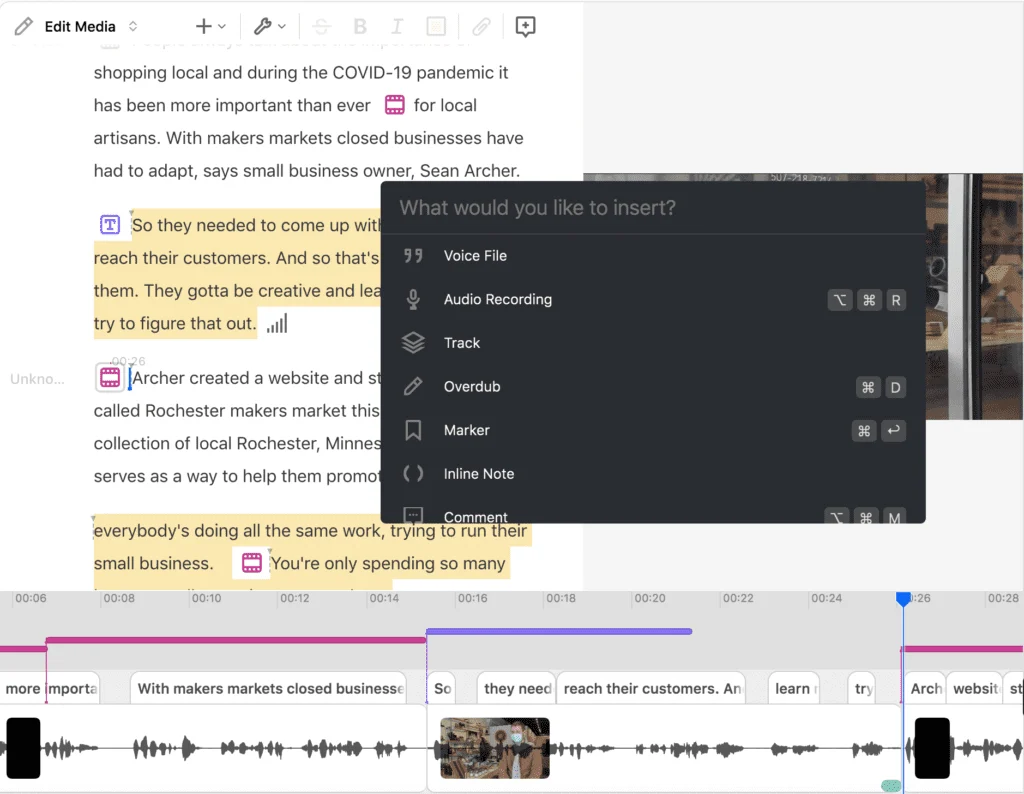
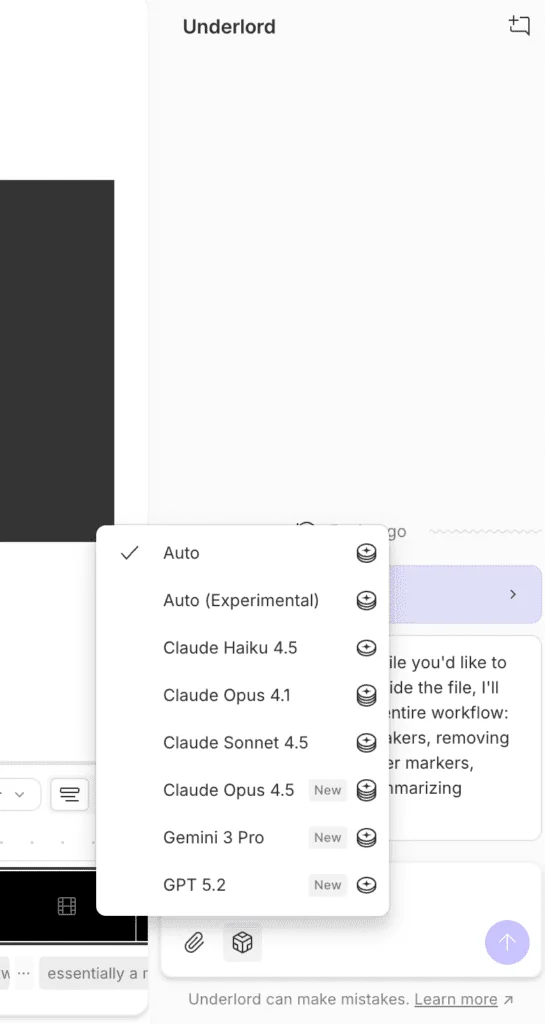
Underlord is the most ambitious part of the product. Instead of hunting for a tool, you tell the sidebar what you want (“remove filler words,” “make a 60-second clip,” “write show notes”) and it does the edit. When it works, it feels like handing a rough cut to an assistant. It is still beta and it does make mistakes, but it is the clearest sign of where this tool is heading.
One subscription covers the whole workflow
Count the tools this one app replaces: a recorder, a transcription service, a video editor, a captioner, a clip-maker, a dubbing app, an avatar generator. All of it lives under a single login. Most rivals make you stitch two or three together to match that range, and G2 reviewers repeatedly frame Descript as a replacement for a whole stack of subscriptions. For a solo creator, folding that into one bill is a real saving in money and in friction.
Transcription is fast and broad
The transcription is quick and covers twenty-five languages per Descript’s own interface, and on clean single-speaker audio it is accurate enough to edit against without second-guessing it. Because the entire editing model rests on the transcript, this reliability is load-bearing rather than a nice extra. Captions and subtitles fall out of the same transcript with no extra step.
The free plan is genuinely usable
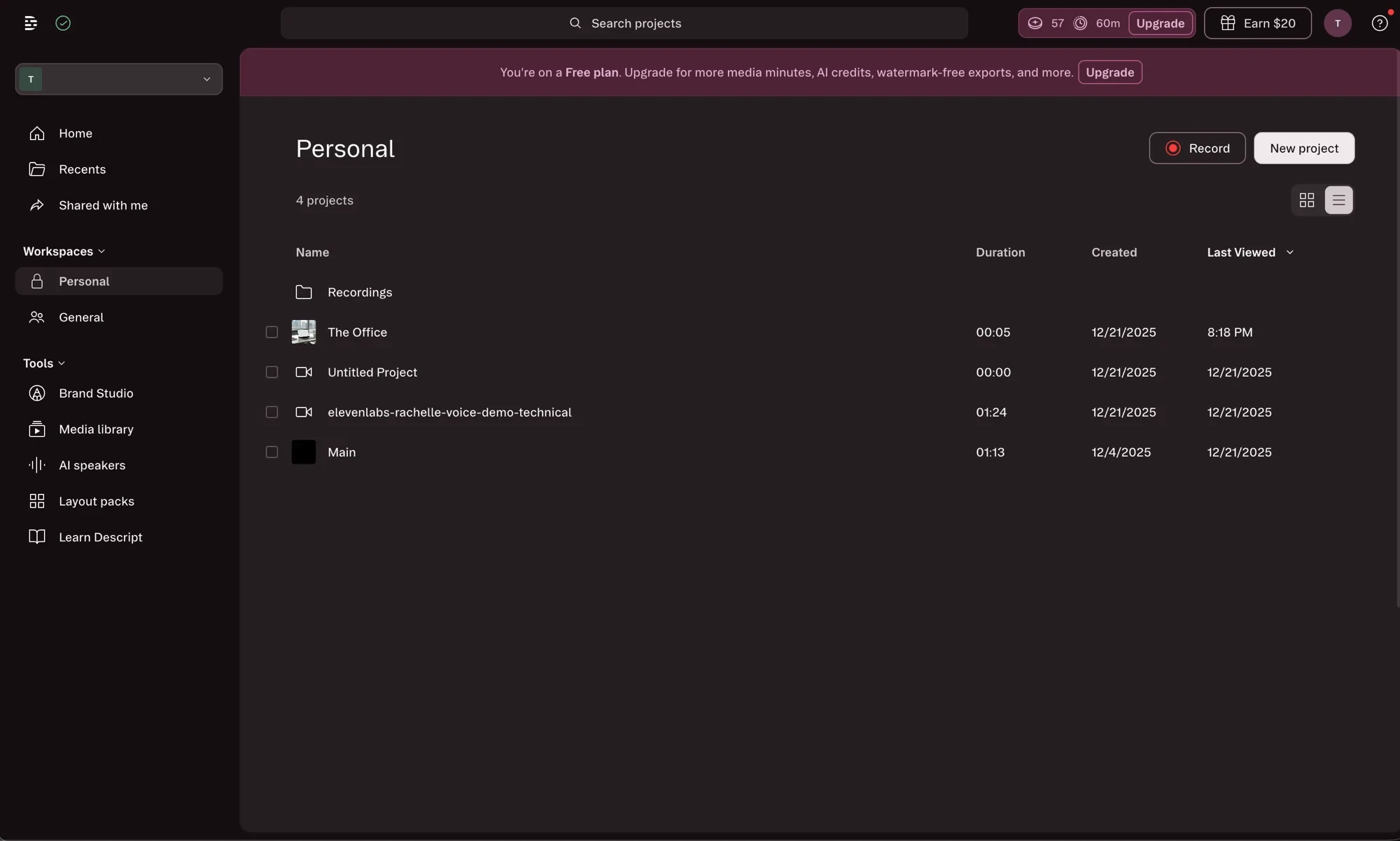
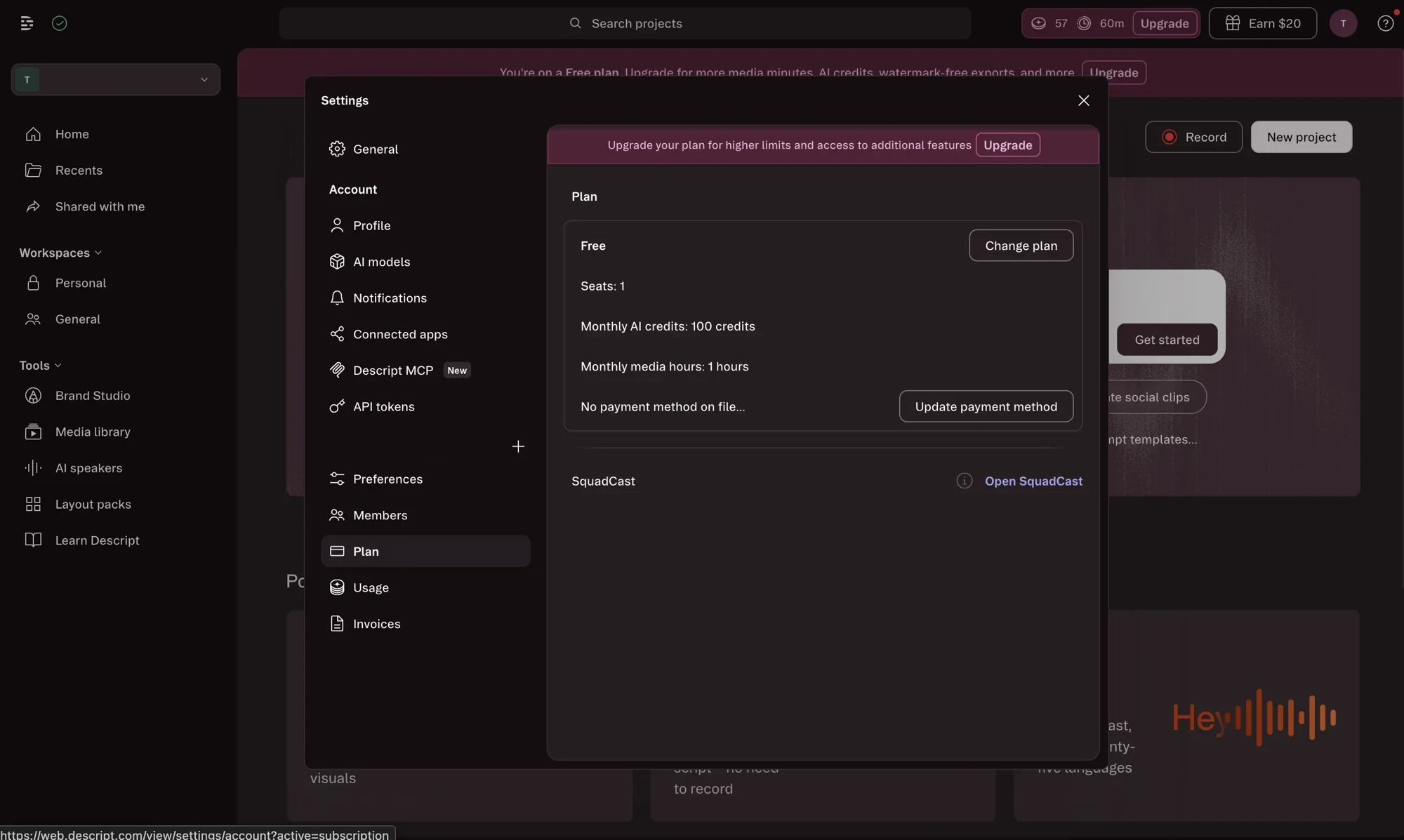
Most “free” creative tools are a locked demo. Descript’s gives you a working editor, 60 media minutes, and 100 AI credits, which is enough to edit a short real project end to end. I have run my own recordings through it on the free tier, and as I write this I still have 57 of those credits and all 60 minutes left for the cycle. That is a fair way to let people learn the editor before asking for money.
Overdub gives you a usable voice patch
Overdub, Descript’s voice cloning, is now available across plans. Train it on a sample of your speech and you can fix a flubbed line by typing the correction, and it speaks it back in your voice. Cloning your own voice requires a consent recording first, which is the right call on a feature this easy to misuse. It is best as a patch tool for small fixes rather than full narration; for that, a dedicated voice tool like ElevenLabs wins. But for cleaning up a recording without going back to the mic, it is a quietly useful trick that no waveform editor offers.
The bad
Now the part the marketing pages skip. The trade-offs are real, and almost all of them trace back to one thing: how the new pricing meters your work.
The AI-credit system meters everything, and it drains fast
This is the loudest complaint about Descript, and it is fair. Every AI action spends credits, so the more useful Descript becomes to you, the faster you run out. On Trustpilot, where the tool sits at 3.1 out of 5 across about 258 reviews, the credit model is repeatedly called out, with one reviewer describing the AI features as “consumed very fast.” When you do run dry, the only fix on Creator and Business is buying top-up bundles, and on Free and Hobbyist there is no fix at all until the reset. Budget for the credits you will actually use, not the headline number.
“Monthly” credits that are not actually monthly
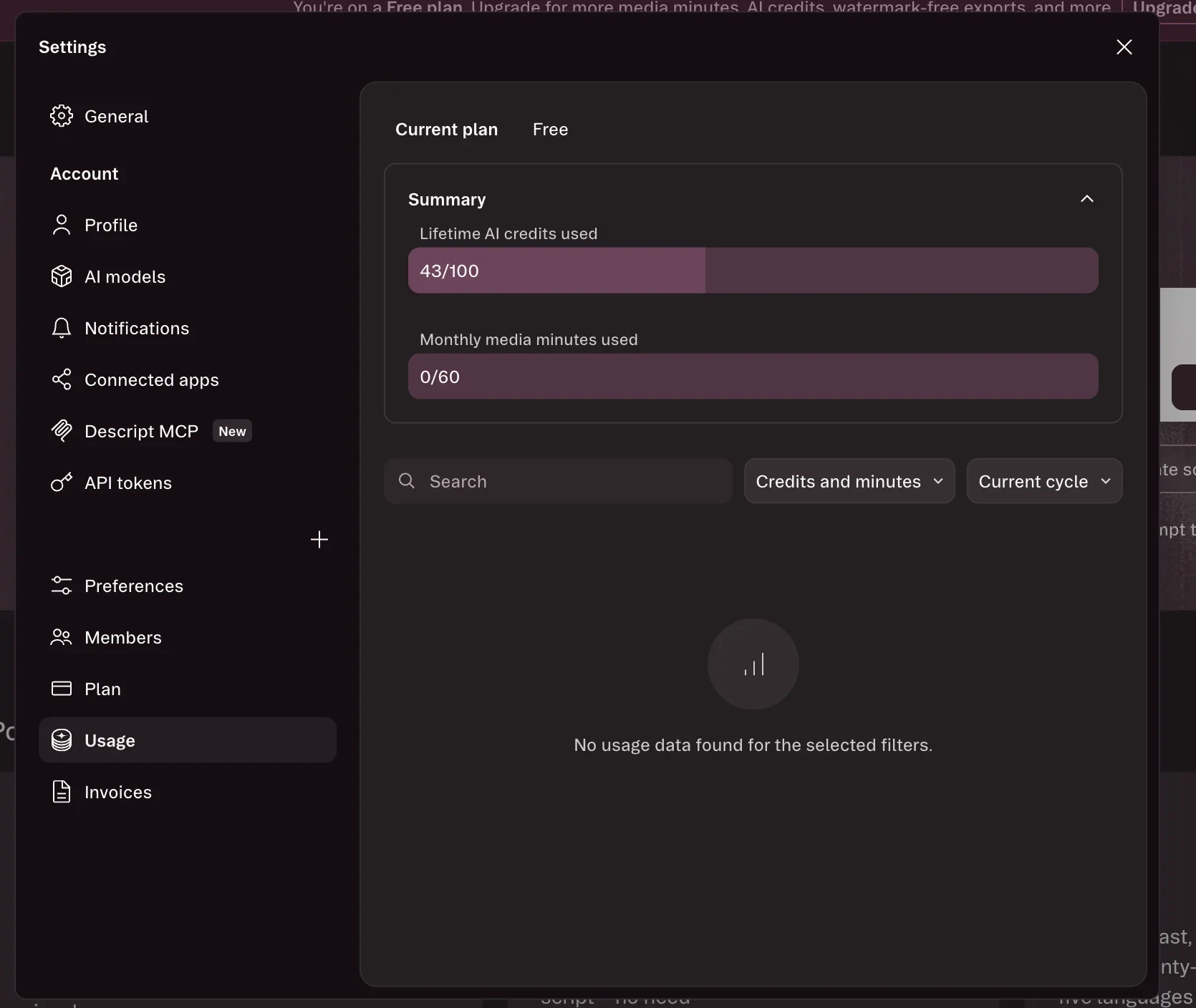
Here is a catch I only saw because I was logged in. My Plan page lists “Monthly AI credits: 100 credits,” but the Usage page for the same account labels the exact same allowance “Lifetime AI credits used: 43/100.” On the free plan those 100 credits are one-time, not a monthly refill, and Descript’s own interface contradicts itself about which it is. That is the kind of detail that turns into a surprise when you expect a reset that never comes.
Media minutes are spent on upload, not just on AI
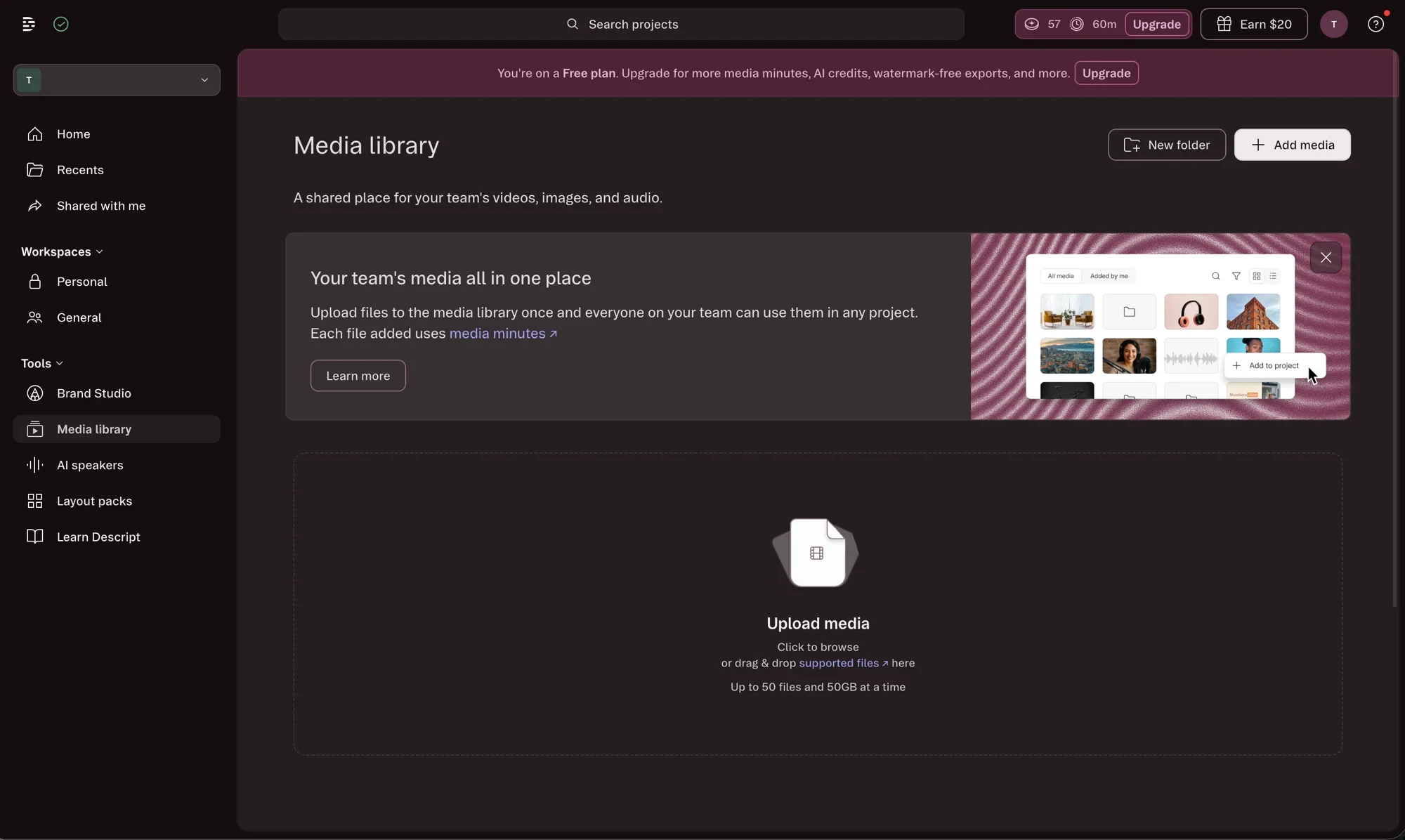
The second meter has its own trap. Media Minutes are consumed when you add files, so importing footage you end up not using still eats your allowance. Descript states this plainly in the Media library, where it notes that “each file added uses media minutes.” Plan around the raw media you push through the tool, because a few large imports can spend a chunk of a month’s minutes before you have edited a single frame.
It strains on long or heavy projects
Descript is built for speed on short-to-medium pieces, and it shows the strain on big ones. G2 reviewers describe it as resource-heavy and prone to slowing down on extensive projects, and Reddit threads from podcasters echo lag and freezes on long timelines. If your typical project is a multi-hour, multi-track edit, test that exact workload on the free plan before you commit.
Export quality and reliability can disappoint
A recurring grievance is the final render. Reviewers report visible compression and limited control over export settings compared with a traditional editor. Trustpilot reviewers go further, describing batch exports where most of the files failed to download correctly. For most short clips this never comes up, but it is a real risk on volume.
Transcription slips with multiple speakers
The transcription that single-speaker audio handles so well degrades on harder material. Independent reports find accuracy drops noticeably with three or more speakers and cross-talk, and Descript’s own troubleshooting docs acknowledge that speaker labels can fail to stick. For a roundtable podcast, budget real cleanup time on the transcript before you start editing against it.
Support is slow when something breaks
When a bug does halt a project, the help is not fast. Trustpilot reviewers describe multi-day waits for basic requests, including one who needed three days just to change an account email with no self-serve option. For a tool you might depend on to ship weekly content, that response time is a genuine risk worth pricing in.
Alternatives worth considering
If you decided Descript is not the fit, here is where to look next, depending on which part you cared about.
- ElevenLabs — if all you actually need is AI voice, not a full editor. ElevenLabs beats Descript’s Overdub on raw voice quality and cloning, and it is the better buy when the voice is the product. See our ElevenLabs review, or weigh the two in ElevenLabs vs Descript.
- Murf — if you want voiceover synced to slides for explainer or corporate work. Murf is built around a studio editor for narration rather than a transcript editor for video. See our Murf review.
- Free AI clip generator — if the budget is zero and clipping is the job. Descript’s free plan gives 60 media minutes and 100 one-time AI credits with watermarked exports, which that roundup weighs against the clippers built for the job.
- CapCut — if you want fast, free social-clip editing and do not need transcript-based cutting. It is the obvious pick for short-form video on a zero budget, with a more conventional timeline.
Final word
Descript earns its 4.0 because the text-based editing is a genuine leap, Studio Sound and one-click filler removal save real time, and Underlord points at a future where you direct an editor instead of operating one. For podcasters and talking-head creators, nothing else makes the slow part of editing this fast.
It is held back from a higher score by the AI-credit pricing, which meters everything and punishes the heavy use the AI features invite, and by export and stability limits that show up on bigger projects. Go in knowing the two meters, test your real workload on the free plan first, and pick the tier by how much media and AI you will actually use, not by the feature list.
Start free to feel the transcript editing for yourself, then decide whether the credit math works for the way you create — the Descript pricing guide has the full ladder, and if the real job is cutting long recordings into clips rather than editing them, the best AI clipping tool measures four tools built for that.
Frequently asked questions
What can you actually finish on Descript's free plan?
Enough to judge the editor, not enough to publish from regularly. You get 60 media minutes a month, which do renew, and 100 AI credits that do not — my own Plan page called them "Monthly AI credits" while the Usage page for the same account called the identical allowance "Lifetime AI credits used". Exports carry a watermark, so anything you finish is a draft.
That is still a real trial of the part that matters, because text-based editing is not metered. You can cut an hour of audio by deleting words in the transcript and hear whether the workflow suits you. What you cannot do is lean on the AI: Studio Sound, Underlord and voice work all draw on the credits, and on a free account those 100 do not come back. The full ladder is in the [Descript pricing guide](/descript-pricing/).
How accurate is Descript's transcription?
Good enough to edit against on clean single-speaker audio, which matters more here than in most tools because the whole editing model rests on it. Descript's interface puts the language count at twenty-five, and results come back quickly.
Harder material is where it slips, and the slip costs you twice because the transcript is also the edit. Three or more voices with cross-talk is the case to watch, and speaker labels are the first thing to go — Descript's own troubleshooting docs cover them coming unstuck. Budget cleanup time before a roundtable edit rather than during it. On a solo show or a two-mic interview recorded on decent microphones, none of that applies and the transcription is the strongest part of the product.
Which Descript features burn AI credits?
Studio Sound, Underlord, voice generation and the other generative features all draw on the same AI-credit pool, while ordinary text-based editing does not. That split is the thing to understand before subscribing: the editing is unmetered, the AI around it is not.
Media minutes are the second meter, spent on what you upload or record rather than on what you generate. Running out of either stops the corresponding work, and neither rolls over. The [Descript pricing guide](/descript-pricing/) works through what each tier actually buys.
Is Descript good for podcasts?
Podcasting is its strongest use case. You edit by deleting words in the transcript, Studio Sound cleans up a cheap mic, and one click strips filler words and silences from the actual audio.
What is the catch with Descript's pricing?
The AI-credit system. Heavy AI users burn through their monthly credits fast and then have to buy top-ups, which are only available on the Creator and Business plans. Free and Hobbyist users simply hit a wall.
Keep reading
Descript pricing: two currencies, and one tier that costs more
Descript pricing runs $0 to $65 a month across five plans. Read live today — including the tier that costs more per media hour than the one below it.

Free AI clip generator: only one export came back clean
Four AI clip generators, one 35-minute file, two of them on genuine free plans. Only CapCut returned a file with no watermark. Here is what the rest hand back.
Opus Clip alternatives: what each one takes away
Every cheaper OpusClip alternative costs you something. I ran four tools on one 35-minute file — Vizard did it for $0.85 against $2.03 — and priced two more.
Submagic alternatives: the cheapest depends on your meter
Seven Submagic alternatives ranked by the meter they charge on. Four tools measured on one 35-minute video, and the cheapest changes with source length.